


Samsung TV Plus - TV & Movies
3.82.62K Reviews
App Specs
- Version
- Varies with Device
- Updated On
- License
- Free
- Downloads
- 100,000,000+
- Developer
- Samsung Electronics Co., Ltd.
- Categories
- Entertainment
- Platform
- Android
Screenshots



 Analysis by AppCompare
Have you ever found yourself endlessly scrolling through streaming platforms, only to end up watching the same old shows? Well, my friend, let me introduce you to Samsung TV Plus - TV & Movies. This app is like finding a hidden gem in the vast ocean of digital content. Trust me, it’ll shake up your streaming routine.
What's the Deal with Samsung TV Plus?
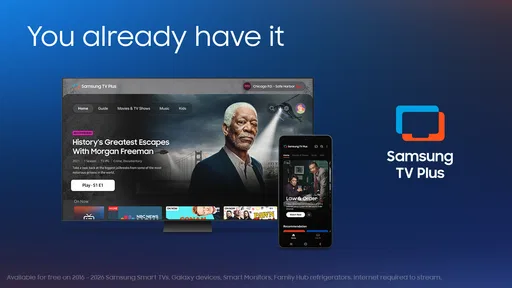
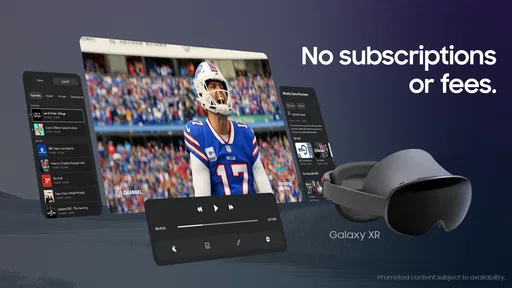
So, here’s the scoop. Samsung TV Plus - TV & Movies is a free streaming service that comes pre-installed on Samsung TVs, but the good news is, you can also download it on your Android or iOS device. No subscription fees, no sign-ups, just pure, unadulterated streaming goodness right at your fingertips.
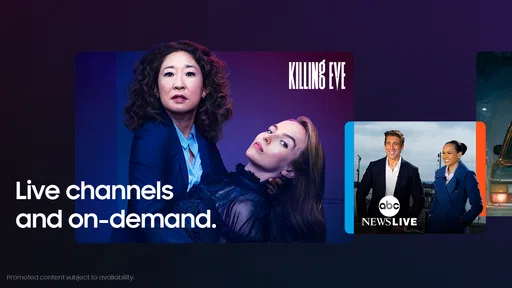
Imagine having access to over 100 channels of TV shows, movies, news, and even sports, all for free. It’s like having cable without the hefty bill at the end of the month. Plus, the content is as diverse as it gets. Whether you’re into action-packed thrillers, romantic comedies, or even niche documentaries, Samsung TV Plus has got you covered.
Easy Peasy Lemon Squeezy: User Experience
Navigating through the app is a breeze. The user interface is clean and intuitive, which makes finding your next binge-watch session a piece of cake. Once you fire up the app, you’re greeted with a homepage that showcases a mix of trending content and personalized recommendations.
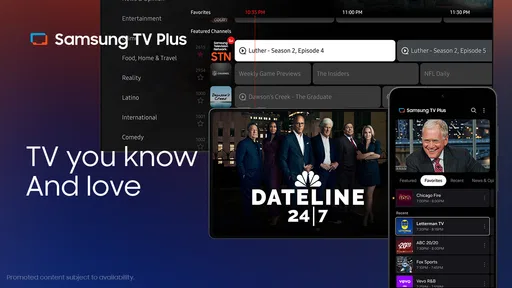
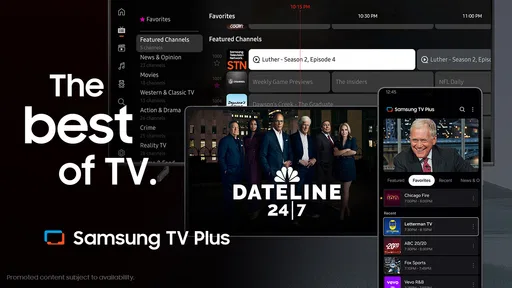
One of the coolest features is the channel guide. It’s like flipping through channels on a traditional TV, but in a more futuristic, digital way. You can browse through different categories and genres, and if something catches your eye, just tap and start watching. Easy, right?
Oh, and did I mention the app’s performance? It streams smoothly without any annoying buffering, even on a standard internet connection. So, no more screaming at your screen in frustration when the climax of a movie is interrupted.
Content Galore: Something for Everyone
I know what you’re thinking: “Free content? It’s probably all old and boring.” But nope, Samsung TV Plus surprises you with an impressive range of new and classic options. From blockbuster hits to hidden indie gems, there’s something for everyone.
Worth Reading Before You Choose

Baby Panda World Brings Quick Play to Modern Phones, but Its Game Library Feels Busy

ESPN’s Live Game View Makes Following Close Games Easier

QuizzLand Review: A Good Fit for Short Trivia Breaks, Not Every Player

Basketball Stars: Multiplayer Is Fast, but Can It Recover When Matches Go Wrong?

WEBTOON Turns Phone Updates Into a Better Reading Routine

Link to Windows Runs on Shared Habits, Not Social Feeds
Sports fans, you’re in for a treat! You get to watch live sports events and highlights without missing a beat. Plus, there’s a solid lineup of channels covering news and documentaries, keeping you informed and entertained. You’ll never run out of things to watch, and that’s a promise.
Quick Tips for Getting the Most Out of Samsung TV Plus
- Explore the Categories: Dive into different categories and discover something new each time you log in.
- Set Reminders: Use the reminder feature to get notified about upcoming shows or movies you don’t want to miss.
- Create a Watchlist: Save your favorite channels and shows for quick access.
- Stay Updated: Keep an eye on the app updates for new features and channel additions.
Final Thoughts: Is It Worth the Download?
If you ask me, Samsung TV Plus - TV & Movies is a no-brainer. It’s like having a mini cinema in your pocket, minus the popcorn. The app offers a rich assortment of content, smooth streaming, and an easy-to-use interface, all for the unbeatable price of free.
Whether you’re a movie buff, a sports enthusiast, or just someone who loves a good TV show, this app is bound to keep you entertained. So go ahead, give it a whirl, and spice up your streaming experience. You might just wonder how you ever lived without it.
Pros
- Wide range of free channels available.
- Smooth
- user-friendly interface design.
- No subscription or login required.
- High-quality streaming performance.
- Regularly updated content library.
Cons
- Limited availability in some regions.
- Ads can interrupt viewing experience.
- Not all channels offer on-demand options.
- Requires stable internet connection.
- Lacks customization for channel lineup.
FAQs for Samsung TV Plus - TV & Movies
What is Samsung TV Plus?
Samsung TV Plus is a free streaming service available on Samsung smart TVs and mobile devices. It offers a variety of live TV channels and on-demand movies, covering genres like news, sports, entertainment, and more. The app requires no additional hardware, subscriptions, or credit card information, making it an accessible option for Samsung users.
How do I access Samsung TV Plus on my device?
To access Samsung TV Plus, you need a compatible Samsung smart TV or a mobile device. The app is pre-installed on most Samsung TVs released after 2016. On mobile, you can download it from the Google Play Store or the Samsung Galaxy Store. Once installed, simply launch the app to start watching.
Is there a cost associated with using Samsung TV Plus?
No, Samsung TV Plus is completely free to use. There are no subscription fees or hidden charges. The service is supported by ads, similar to traditional TV, which allows users to enjoy a variety of content without any cost. However, an internet connection is required, which may incur charges from your service provider.
What type of content is available on Samsung TV Plus?
Samsung TV Plus offers a wide range of content, including live TV channels and on-demand movies. It features channels across various categories like news, sports, kids, lifestyle, and entertainment. The selection may vary depending on your region, but the app continually updates its offerings to include popular and trending content.
Can I customize my channel lineup on Samsung TV Plus?
Yes, Samsung TV Plus allows users to customize their viewing experience. You can create a list of favorite channels for quick access and arrange them according to your preferences. Additionally, the app provides recommendations based on your viewing habits, helping you discover new channels and shows tailored to your interests.


